Frequently Asked Questions
Known issues, clear explanations and practical workarounds for DPB1 and DPB2.
Why does DPB click beside an item or Stash label in a very wide game window?
Observed on DPB1 and DPB2. Not verified for every client version, DPI setting or multi-monitor setup.
When this happens
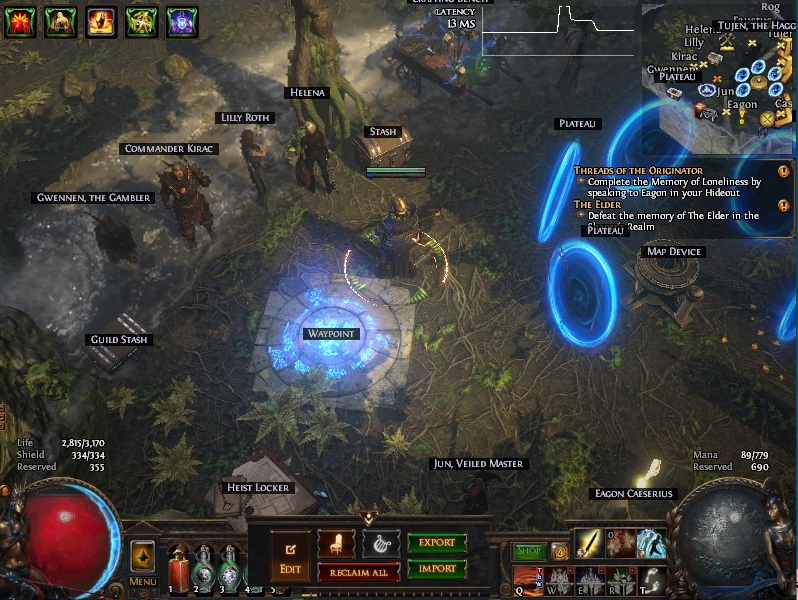
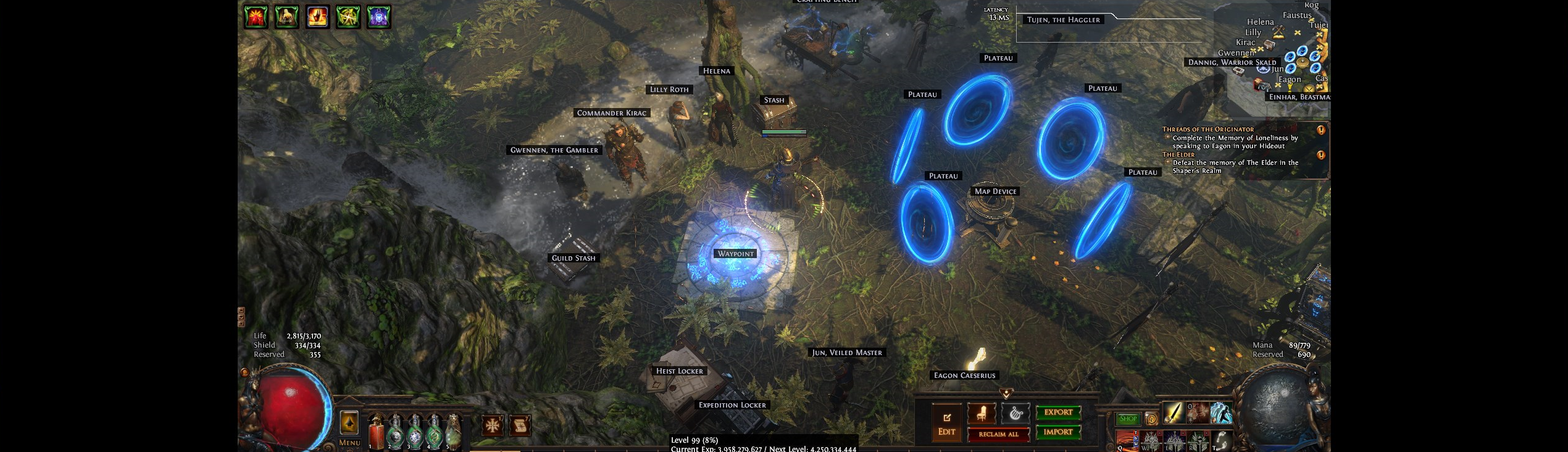
In a very wide game window, clicks may land to the side of a visible label, such as Stash or Guild Stash. The issue can appear when the game view does not fill the whole window.
Why this happens
The game view and the full window can use different horizontal starting points. A label position measured within the game view may then be used as if it belonged to the full window, shifting the click sideways.
What to try
- Make the game window less wide and try standard proportions, such as 16:9 or 4:3. This is a workaround to test, not a guaranteed fix.
- Check the same label again in a controlled test. If the click is still misplaced, do not keep retrying unattended.
Window comparison
These screenshots illustrate the window layout, not click accuracy or a corrected client. Desktop and chat are excluded.
Still affected?
Report your DPB product and version, game-window size and a cropped screenshot of the affected label.